
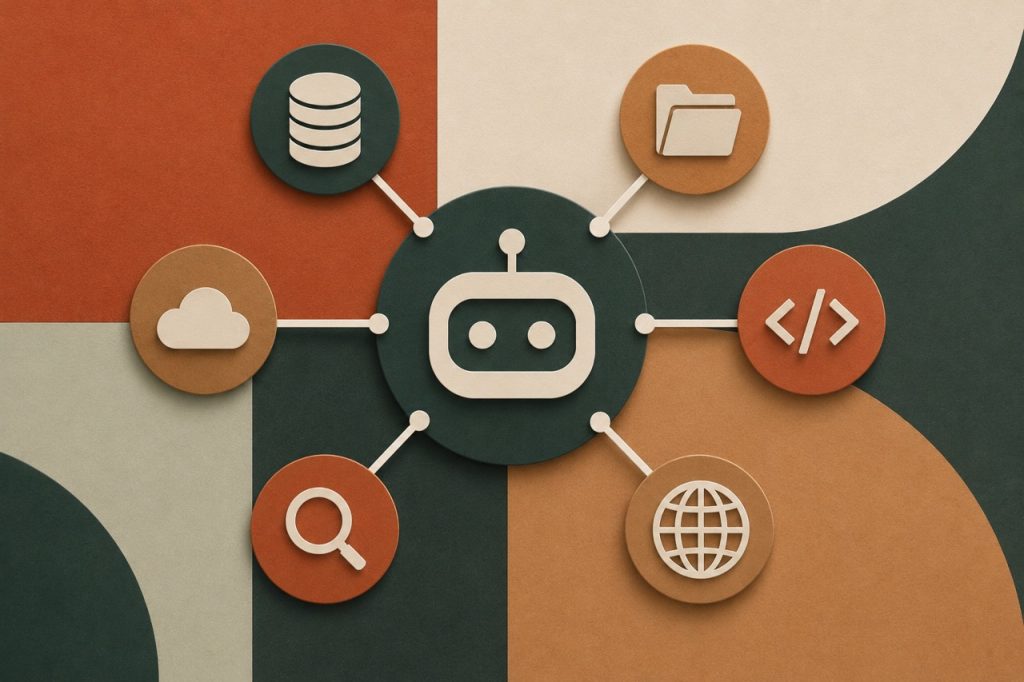

You have a ChatGPT account, a Zapier automation, a CRM, and an invoicing tool. Each one works well, but none of them talk to each other reliably.
Every time you wants AI to do something with your actual business data, you’re copying text out of one tab, pasting it into another, re-explaining context you already explained last week, and starting from scratch. The AI is smart, but your setup isn’t yet.
Model Context Protocol is the fix.
Model Context Protocol (MCP) explained in plain English
MCP stands for Model Context Protocol. Anthropic published it as an open standard in November 2024.
“Protocol” just means a shared set of rules. Every USB-C cable follows the same standard, so any USB cable can charge any compatible device. You don’t need a different cable for every gadget you own.

MCP works the same way: it gives AI models and external tools a shared language, so any compatible AI can connect to any compatible tool without a custom integration built for each pair.
Before MCP, every AI connection was a bespoke project. Getting Claude to read your Google Drive required someone to write specific code connecting those two things specifically. Getting it to also read your Notion required different code. And your CRM. And your inbox.
After MCP, a tool builds one server. Any AI that supports MCP can connect to it. One standard now provides universal compatibility.
MCP is to AI what USB-C is to devices. One connection standard that removes the need to build a different cable for every tool you own.
Yes but why bother?
The practical implication for you is that AI tools can now access your actual business data without you manually feeding it to them.
Without MCP, asking Claude to summarise last week’s sales means exporting data from Shopify, pasting it into the chat, and explaining what it is. Every time. For every request.
With MCP, Claude connects directly to Shopify, reads the data, and gives you the summary. You ask, it retrieves, and you get the answer. No exporting. No pasting. No re-explaining.
That’s what makes AI useful for a working business.
It’s also the mechanism behind everything described in my previous agentic AI article. Agents that can act on the world do so through MCP connections. Remove MCP and an agent can think, but it can’t touch anything.
What MCP enables in practice
Five tasks become possible once an AI connects to your tools via MCP.
Your inbox
Claude connects to Gmail. It reads your unresponded messages, categorises them by urgency, and drafts replies in your voice. You don’t paste a single email.
Your documents
You ask Claude to pull the key terms from the proposal you sent last Thursday. It connects to Google Drive, finds the file, reads it, and gives you what you need. You don’t open the doc.
Your calendar
You ask Claude to find a two-hour gap next week and protect it for focused work. It connects to Google Calendar, reads your schedule, blocks the slot, and confirms. Without you opening Calendar.
Your CRM
You ask for every client interaction in the last 30 days where no follow-up was logged. Claude connects to HubSpot, runs the query, and returns the list. A task that used to take 20 minutes of manual filtering takes 10 seconds.
Your accounts
You ask whether you’re on track to hit your monthly revenue target. Claude connects to Xero, reads your current invoiced amounts and payment status, and tells you where you stand. No need to log into Xero.
| Task | Without MCP | With MCP |
| Summarise last week’s sales | Export CSV, paste into chat, re-explain context | Ask Claude. It reads Shopify directly. |
| Find unresponded client emails | Open inbox, filter manually, draft one by one | Claude reads Gmail, drafts responses, flags priorities |
| Check revenue against target | Open Xero, navigate to reports, calculate manually | Ask Claude. It reads Xero and answers. |
| Pull 30 days of CRM activity | Log in, build a filter, export | Ask Claude. It queries HubSpot directly. |
How MCP fits into the AI stack you’re building
Think back to the three levels from the agentic AI article.
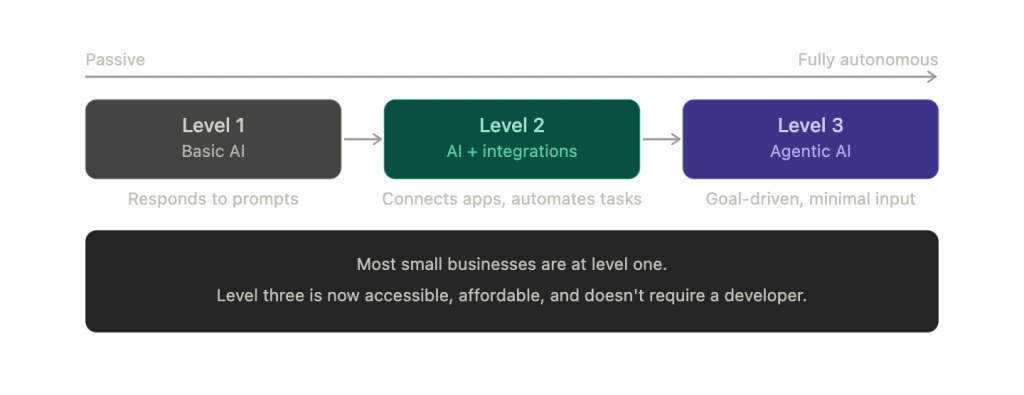
Level one is basic AI tools: a chatbot you prompt, and it answers. No MCP needed.
Level two is AI with integrations: tools like Zapier connecting apps and automating fixed sequences. MCP plays a small supporting role here.
Level three is fully agentic systems: an AI holding a goal, taking multi-step actions across your tools, and adapting as conditions change.
MCP is what makes level three possible. Without it, the agent can only reason, but not act outside the chat. With it, the agent can act on tools you authorize.
You don’t need to understand how MCP works under the hood. You just need to know which of your tools support it, and which AI can connect to them.
Which tools already support MCP
The list is growing fast. As of early 2026, tools with available MCP connections include Claude (Anthropic developed and published the standard here first), Google Workspace (Drive, Gmail, Calendar, Docs), Notion, GitHub, Slack, Linear, Zapier, Xero via third-party servers, HubSpot, and Shopify via community-built servers.
“MCP server” is the term for the connection layer a tool builds to make itself accessible. If a tool has an MCP server and your AI supports the protocol, they can communicate. New servers are published every week, and the ecosystem is expanding in a direction that favours connected, compatible tools over closed ones.
What this means for your business right now
You don’t need to build anything.
Check whether the AI you’re using supports MCP. Claude does, natively, inside the app. Check whether the tools you already use have MCP servers available. Google Workspace does. Notion does. Slack does.
If yes to both, you can start connecting them today.
The fastest first step is also the most useful one.
- Connect Claude to your Gmail and Google Calendar.
- Ask it to summarise your inbox and find your busiest day next week.
Setup takes about ten minutes.
Each tool you connect makes every subsequent AI request more accurate and more useful. The AI stops working with fragments you paste in and starts working with your full business context. The more it can see, the more it can do.
One thing to keep in mind about MCP
MCP connections give an AI model access to your data. Two reasonable questions follow from that.
- On security: MCP connections run through the AI provider’s infrastructure. Stick to established providers—Anthropic, Google, Microsoft—and check their data handling policies before connecting anything sensitive. Don’t connect financial or legal data to tools you haven’t verified.
- On accuracy: the AI reads your data, but it doesn’t always interpret it perfectly. Treat first outputs as drafts. The goal is to save the time you’d spend retrieving and assembling information, not to replace your judgment on what to do with it.
Both concerns are manageable, and neither is a reason to avoid MCP yet. They’re merely reasons to be deliberate about your set up.
If you want a clear picture of which tools in your business can connect via MCP and what that would unlock for your specific workflow, book a 30-minute audit call today.