


TLDR: A WordPress plugin I used for years got degraded and paywalled, so I built a replacement.
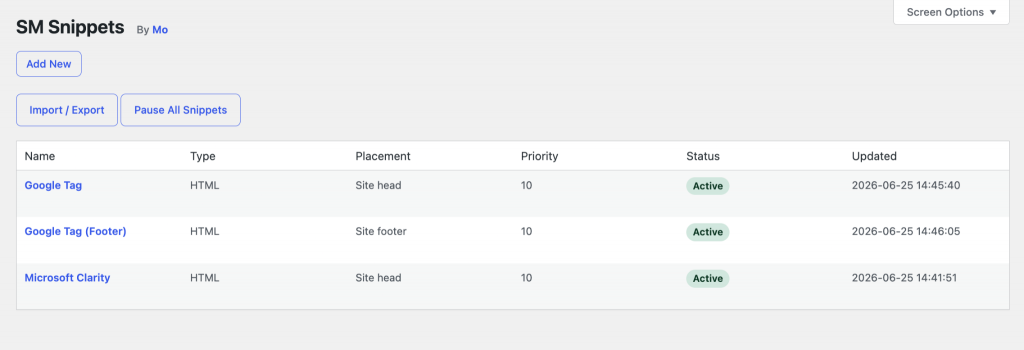
With SM Snippets, you can add code to a WordPress site and pick where it runs. Sometimes that’s a script in the <head>, sometimes a tag after the opening <body>, sometimes a footer block, CSS rule, or short PHP function.
It’s standard maintenance work for any web admin, and I want it to feel local, clear, and quiet. Boring, in a good way.
The plugin I’d used handled that job for a while, then it changed. More features piled up around the core job; some of it was bloat while some pointed toward paid plans.
Charging for software isn’t the problem—there’s labor in building and maintaining tools—but the plugin pulled back functionality free users already had, then put a price on that downgraded version.
If you downgrade an existing workflow and charge for it, you break trust. So I built my own.

The WordPress plugin spec
I scoped it as a free, simple, boring, private, local WordPress snippet manager. No cloud account, no marketplace, no remote sync, and no upsell path inside the editor.
> Create a snippet.
> Choose its type.
> Choose where it runs.
> Choose when it runs.
> Save it.
> Turn it off fast if needed.
Product decisions
Why “snippets”? Some tools call this “injections” or “tags,” but those terms narrow the mental model. A snippet can be HTML, CSS, JavaScript, or PHP, and it can carry a tracking tag, helper function, style fix, or shortcode output.
PHP runs. A public mass-market plugin might hide PHP behind warnings for safety reasons, but a personal tool used by someone who knows what they’re pasting doesn’t need that friction. So the product trusts the user, and it still keeps guardrails: safe mode, fast enable and disable, and revision history.
No structured service templates. I initially considered including templates for standard snippets like GTM tags or Meta pixels. A built-in tag-manager helper sounds useful until the vendor changes its snippet format, or someone needs a variation, or a consent tool reorders the load sequence. Raw paste holds up better over time, and the plugin shouldn’t pretend to know more than the code provider.
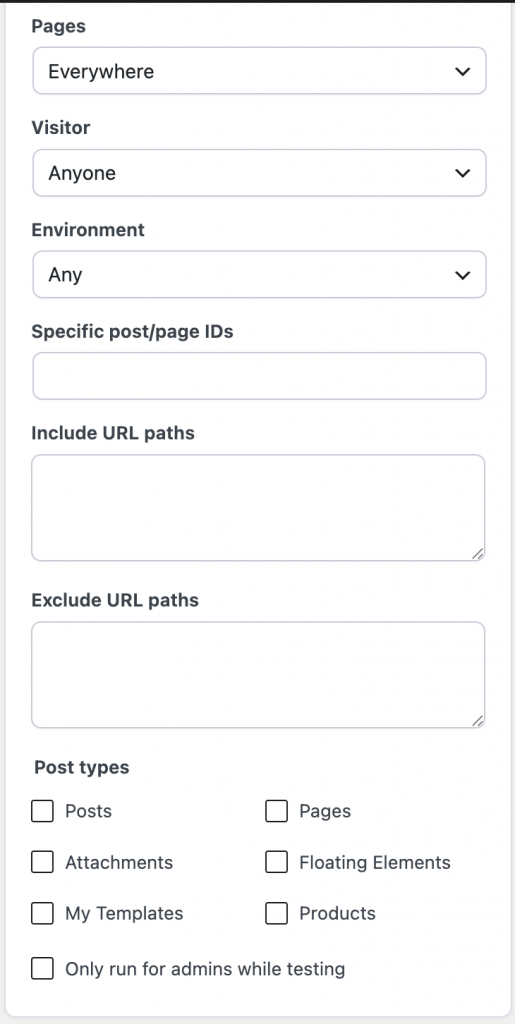
Targeting lives in the product. A snippet might run everywhere, only on the homepage, only for logged-out users, only in production, or only across a set of paths. Without that logic, users might write conditionals inside snippets, which hides intent and makes maintenance harder.
A note on plugin identity
WordPress maps plugins to wordpress.org by folder slug. If a local plugin folder collides with a public slug, WordPress can treat the local plugin as the public one during update checks, showing the wrong metadata and update path. A distinct folder plus one explicit guard closes that door:
/**
 * Plugin Name: SM Snippets
 * Version: 0.1.2
 * Update URI: false
*/
The user interface
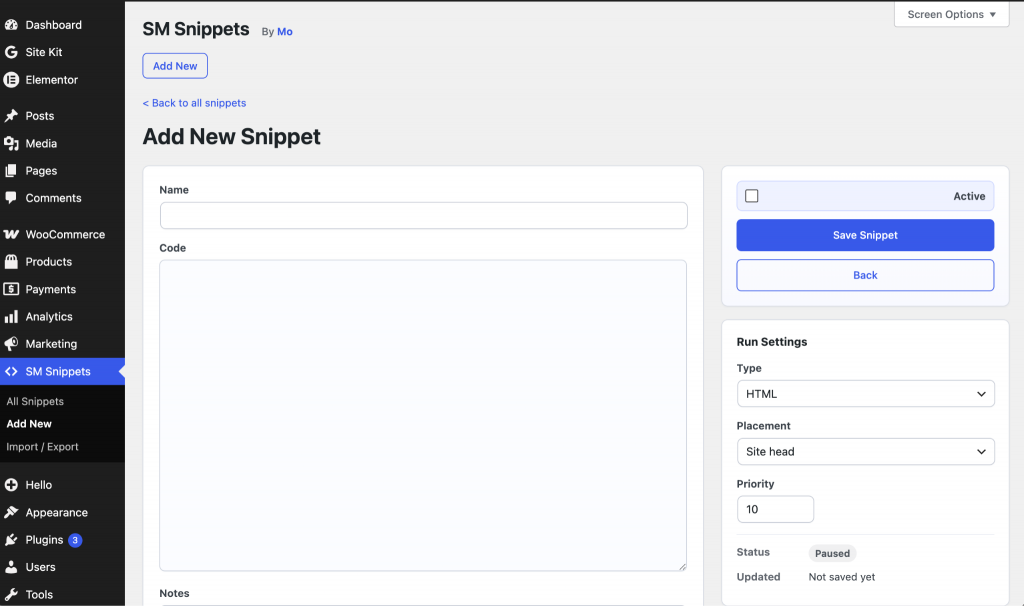
The first version worked, but the save button lived too far down the page, which made the editor feel clumsy. A snippet editor needs a sticky action area. The current layout keeps a simple editor column with a sticky right rail:
Main editor:
- Name
- Code
- Notes

Right rail:
- Active
- Save
- Run settings
- Targeting
- Status
That keeps the code in front and the controls within reach, and doesn’t hide the advanced fields behind a beginner wizard.
Outcome
The result is a local tool with a clear boundary. It won’t become a snippet social network, cloud sync service, or paid feature funnel. It gives WordPress admins a place to put code, pick placement, set targeting, and keep control.
I may monetize it later. If that happens, I won’t strip working free features and sell them back. I’ll add new value people can choose to pay for and keep the existing product whole.
People don’t just leave tools when prices change. They also leave when the product contract changes, when a tool that once solved a problem starts creating new ones, and when the whole experience starts to feel like a toll booth.
Repo: SM Snippets